Flash vs HTML5 and What Happened to Flash Games
Published
A Flash game needed a plugin you had to install. An HTML5 game needs nothing but the browser you already have. That one difference decided the whole fight. Adobe ended Flash Player on December 31, 2020, and blocked Flash content from running on January 12, 2021. We build browser games the new way, so we went back to see where the old ones went. Most of them aren't gone. They just need a new way in.
What You Need
- Flash games stopped working because Adobe ended Flash Player support on December 31, 2020
- Adobe blocked Flash content from running on January 12, 2021, and tells everyone to uninstall the player
- Phones, security holes and open web tools like HTML5, WebGL and WebAssembly pushed Flash out
- You can still play many old Flash games through Ruffle, Flashpoint or the Internet Archive
- Never install an old copy of Flash Player to get a game back
How Flash Went From Everywhere to Nowhere
Flash games ruled free web gaming from the late 1990s into the early 2010s. A Konvoy piece from April 2025 traces how sites like Newgrounds and Miniclip spread them, and how Bloons Tower Defense and Club Penguin hit the peak years.
The fall took about ten years. It didn't happen in one night.
- April 29, 2010. Steve Jobs posted Thoughts on Flash, explaining why Apple would not allow Flash on the iPhone or iPad. He blamed battery drain, crashes, poor security and no real touch support.
- November 2011. Adobe stopped building the Flash plugin for mobile browsers. Phones were where new players were going, and Flash couldn't follow.
- July 25, 2017. Adobe announced the end. It said it would stop updating and handing out Flash Player at the end of 2020. Apple, Facebook, Google, Microsoft and Mozilla worked on the plan with it.
- Same day. Google's Chrome team shared its numbers. Three years earlier, over 80% of daily Chrome desktop users visited a site with Flash. By 2017, only 17% did.
- December 31, 2020. Adobe's end of life page says support stopped on this date.
- January 12, 2021. Adobe blocked Flash content from running in Flash Player. That's the day the old games went dark for most people.
So the games didn't break. The player that ran them was switched off on purpose, after years of warning.
Why Flash Lost to HTML5
Flash was a plugin. It sat on top of the browser as a separate program, with its own updates and its own bugs. Every hole in it was a hole in millions of computers at once.
Security was the big one. Adobe still strongly recommends that everyone uninstall Flash Player right away to protect their systems.
Phones were the second blow. Flash was built for a mouse and a desktop. Once players moved to touch screens, a game that only ran on a laptop lost most of its crowd.
The third reason is the quiet one. The open web caught up. In its 2017 note, Adobe said HTML5, WebGL and WebAssembly had grown up enough to do most of what plugins used to do. Chrome told game makers to look at WebAssembly for fast code. Once the browser could draw, play sound and run fast code by itself, nobody needed the plugin.
Flash didn't lose because its games were bad. It lost because it needed an extra program, and the browser stopped needing one.
Flash Games vs HTML5 Games Side by Side
The two look alike on screen. Under the hood they work in very different ways.
| Flash games | HTML5 games | |
|---|---|---|
| What runs it | The Flash Player plugin, a separate install | The browser itself |
| Phones | Never allowed on iPhone, and Adobe dropped the mobile plugin in 2011 | Runs on phones and tablets |
| Controls | Built for mouse and keyboard | Mouse, keyboard or touch |
| Security fixes | None since December 31, 2020 | Come with every browser update |
| Status in 2026 | Blocked since January 12, 2021 | The normal way to make web games |
| How to play now | Ruffle, Flashpoint or the Internet Archive | Open the link |
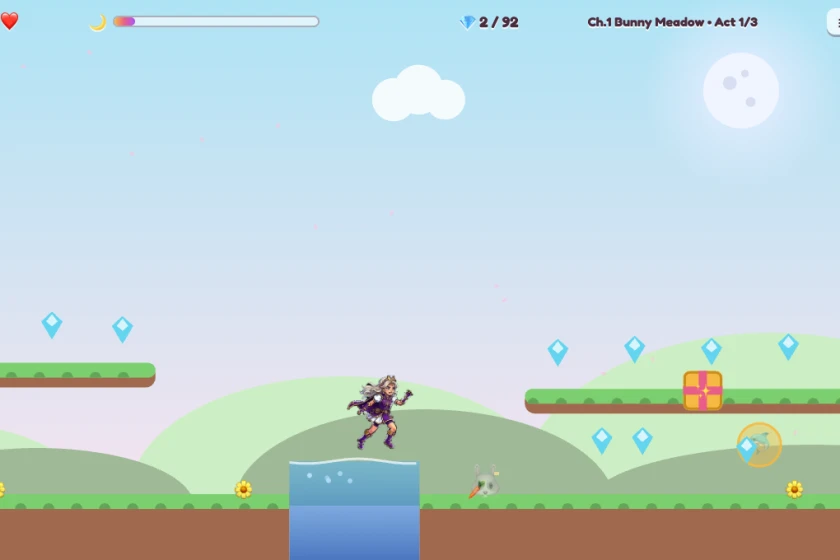
Our own games show how light the new way can be. All six VanillaBits games are single HTML files that draw on a canvas. Measured on our own files in October 2026, Bubble Catch is 40 KB and Princess Genevieve's Quest, our biggest, is about 3 MB. No plugin, no install, no extra download.
How to Play Old Flash Games Today
You have three safe roads back. Pick by how many games you want and how much you want to install.
Ruffle, for Playing in the Browser
Ruffle is a free, open source Flash Player emulator. It's written in Rust and runs as WebAssembly, which keeps it inside the browser's safety walls. Its downloads page offers extensions for Chrome, Firefox and Edge, plus a desktop app for Windows, Mac and Linux.
It won't run everything yet. Ruffle's compatibility page puts older ActionScript 1 and 2 games at 99% language support and newer ActionScript 3 games at 90%, with 82% of the API covered for both. Most older games should work. Some newer ones still glitch.
Flashpoint, for a Big Offline Library
Flashpoint Archive calls itself the world's largest effort to save web games and animations. It began in December 2017 and says it has saved over 200,000 of them. It runs as a nonprofit.
Its downloads page lists two versions. Flashpoint Infinity is a 1.9 MB download on Windows that fetches each game when you play it. Flashpoint Ultimate holds everything at once, and it takes 2.28 TB. That's roughly 400,000 times the size of all six of our games together.
The Internet Archive, for Zero Installs
In November 2020, the Internet Archive added Flash playback using Ruffle. You don't need a plugin. Any browser that supports WebAssembly can play the items. Its Flash collection listed 20,850 items in October 2026.
Skip any site that asks you to download "Flash Player" to play. Adobe stopped offering it, so that file is old and unpatched at best, and malware at worst.
Fake download buttons and pop ups live on the same sketchy sites. The guide on blocking ads in games helps if a game site keeps throwing them at you.
What Browser Games Look Like Now
Flash left a hole in free web gaming, and HTML5 filled it. The same ideas came back without the plugin. Quick arcade games, puzzle games and platformers all run in a tab again, on a laptop or a phone.
What changed most is how free games pay the bills. Flash portals ran banner ads around the game. Many app games today run video ads between levels and sell coins inside the game. If you want the old open feel without that, the page on games without ads shows where to look.
Saving changed too. Our games keep your best score in the browser on your own device, so there's no account needed to pick up where you left off.
What Other Pages Miss
The top result for this question is a short blog post from a venture fund. It names Ruffle and Flashpoint in one line and never says what they are, how to get them, or whether they work. It cites no sources.
That leaves out the parts a player needs. Which tool fits you. How well it runs newer games. And the one warning that matters most, that an old Flash Player download is a security risk, not a fix.
Most pages also tell the story as if Flash died in 2020. It didn't. It lost the phone in 2010, lost the mobile plugin in 2011, and had a public end date by 2017. The last day was a formality.
Short Questions
Can you still get Flash Player?
Not from Adobe. It stopped offering Flash Player after December 31, 2020, and asks everyone to uninstall it. Use Ruffle, Flashpoint or the Internet Archive instead.
Why did Flash get shut down?
It had constant security holes, it never worked well on phones, and HTML5, WebGL and WebAssembly could do the same jobs inside the browser. Adobe and the big browser makers agreed on a shutdown date in 2017.
Are Flash games still playable?
Many are. Ruffle runs most older Flash games in the browser, Flashpoint has saved over 200,000 web games and animations, and the Internet Archive plays Flash items with no plugin.
What were Flash games?
They were free games built with Adobe Flash and played in a web browser through the Flash Player plugin. They were huge from the late 1990s into the early 2010s on sites like Newgrounds and Miniclip.
Is it safe to play Flash games in 2026?
Yes, if you use an emulator like Ruffle or a trusted archive. It's not safe to install an old Flash Player, since it hasn't had a security fix since 2020.
Follow VanillaBits in Google Search
Also on the Blog
- What Is a Platformer Game?
- Where to play games without ads
- How to block ads in games
- Don't blame your timing in a rhythm game until you check lag
Supporting Links
- Adobe, Adobe Flash Player End of Life, opened October 2026
- Adobe Blog, Flash and the Future of Interactive Content, July 25, 2017, opened October 2026
- Chromium Blog, Anthony Laforge, So long, and thanks for all the Flash, July 25, 2017, opened October 2026
- Wikipedia, Thoughts on Flash, opened October 2026
- Konvoy, What are Flash Games?, April 7, 2025, opened October 2026
- Ruffle, Home, Downloads and Compatibility, opened October 2026
- Flashpoint Archive, Home and Downloads, opened October 2026
- Internet Archive Blogs, Flash Animations Live Forever at the Internet Archive, November 19, 2020, opened October 2026
- Internet Archive, Flash collection, opened October 2026
- VanillaBits, file sizes of our six game files, measured October 2026
We make every VanillaBits game by hand in Hemet, California. They run in your browser with no plugin, no ads and no install.